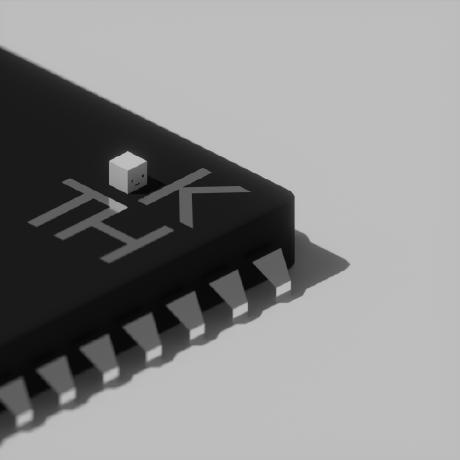
I’m curious what kind of stuff you guys walk around with. I promise I won’t steal them 😉
You must log in or register to comment.


Warning, this is a really geeky one:

0.6kb in size, webp was the smallest
I have Shader Editor installed on my phone so I write my own live wallpapers with GLSL shaders!


Wow nice! I’m also using ShaderEditor. Would you be open to share the code behind your wallpapers?
Gladly! Sometimes I forget to update it but I have a repo for it here: https://github.com/Technohacker/wallpaper-shaders
Do note that you need to provide the right sampler2D uniforms for some of them
Wait, so these are live wallpapers you have written? 😮
Yess, I just sent the link to my repo on another comment but those are indeed hand-written!

So I wanted to learn to code shaders, I was at my in law’s family for holidays and found ShaderEditor (f-droid link). It was the perfect combination of will and time to hack something.
So I tried the different shader examples and went on to use the Conway’s game of life that react to presses. On top of that I changed the colors to use my SO’s preferred color and mine too. To avoid the emptyness of a dead game I also added dynamic visualization of the current volume an battery level + charging status.
The ShaderEditor code
Feel free to use it as wallpaper.
I’m not sure about what I’m allowed to set as licence (since I heavily used the examples and don’t remember their original one), but all my projects are AGPLv3+
#ifdef GL_FRAGMENT_PRECISION_HIGH precision highp float; #else precision mediump float; #endif /* Cloudy Conway * http://www.vexorian.com/2015/05/cloudy-conway.html?m=1 */ uniform vec2 resolution; uniform int pointerCount; uniform vec3 pointers[10]; uniform sampler2D backbuffer; uniform float time; uniform float battery; uniform int powerConnected; uniform float mediaVolume; //uniform int frame; const bool debug = false; //const float time = 0.0; /* * Conway Simulation */ const vec3 colorDead = vec3(0.2, 0, 0.1); // Deep purple const vec3 colorAlive = vec3(1, 0.85, 0); // Flashy yellow float oneIfZero(float value) { return step(abs(value), 0.1); } vec4 get4(float x, float y) { return texture2D(backbuffer, (gl_FragCoord.xy + vec2(x, y)) / resolution); } vec4 evaluate(float sum) { vec4 cell = get4(0.0, 0.0); float wasAlive = cell[3]; float has3 = oneIfZero(sum - 3.0); float has2 = oneIfZero(sum - 2.0); // a cell is (or becomes) alive if it has 3 neighbors // or if it has 2 neighbors *and* was alive already float isAlive = min(1.0, has3 + has2 * wasAlive); float justDied = (1.0 - isAlive) * wasAlive; float afterglowR = cell[0]; float afterglowG = cell[1]; float afterglowB = cell[2]; return vec4( max(afterglowR * 0.99, colorDead.r * (1.0 - isAlive) + colorAlive.r * isAlive), colorAlive.g * isAlive, colorDead.b * (1.0 - isAlive), isAlive /* afterglow * isAlive, afterglow * (1.0 - isAlive), max(afterglow * 0.99, justDied), isAlive */ ); } float get(float x, float y) { return get4(x, y).a; } vec4 conwayStep() { float sum = get(-1.0, -1.0) + get(-1.0, 0.0) + get(-1.0, 1.0) + get(0.0, -1.0) + get(0.0, 1.0) + get(1.0, -1.0) + get(1.0, 0.0) + get(1.0, 1.0); float tapSize = min(resolution.x, resolution.y) * 0.05; for (int n = 0; n < pointerCount; ++n) { if (distance(pointers[n].xy, gl_FragCoord.xy) < tapSize) { sum = 3.0; break; } } return evaluate(sum); } /* * Battery and Volume plotting */ float plot(float posPercent, float pct, float halfThickness) { return smoothstep(pct - halfThickness, pct, posPercent) - smoothstep(pct, pct + halfThickness, posPercent); return step(pct - halfThickness, posPercent) - step(pct + halfThickness, posPercent); } float wave(float direction, float perpendicular, float movementDirection) { float movDir = oneIfZero(movementDirection) - movementDirection; float movement0 = time * 1.0; //float movement1 = float(frame) * 0.005; float movement = movement0; return sin(movDir * perpendicular * 30.0 + movement); } float cat(float direction, float perpendicular, float movementDirection) { return mod(wave(direction, perpendicular, movementDirection), 3.0) - 1.5; } float plotBattery(float batDirection, float batPerpendicular) { float powerC = float(powerConnected); float charging = 0.15 + powerC; float batAmplitude = 0.2 * charging; float batValue = (cat(batDirection, batPerpendicular, powerC) * wave(batDirection, batPerpendicular, powerC)) + 0.5; // Empirically center visible resulting wave return plot(batDirection, batAmplitude * batValue + battery, resolution.y * 0.000015); } float plotVolume(float volDirection, float volPerpendicular) { float volAmplitude = 0.05 * mediaVolume; float volValue = wave(volDirection, volPerpendicular, 1.0); return plot(volDirection, volAmplitude * volValue + mediaVolume, resolution.x * 0.000015); } void main() { vec2 uv = gl_FragCoord.xy / resolution.xy; vec4 conwaySimulation = conwayStep(); float batValue = plotBattery(uv.x, uv.y); float volValue = plotVolume(uv.y, uv.x); conwaySimulation.a = min(1.0, (batValue + volValue) * 2.0 + conwaySimulation.a); if (debug || time == 0.) { if (conwaySimulation.a >= 1.0) { conwaySimulation.rgb = colorAlive; } //conwaySimulation.b = step(uv.x, battery); } gl_FragColor = conwaySimulation; }Really cool! I did a version where it spontaneously switches on pixels based on random noise to make it evolve on its own :D
You and @technohacker@programming.dev definitely have interesting backgrounds! So cool. I’ll give it a shot myself. Thanks for sharing the code!
I use the Daily APOD as my wallpaper. So many beautiful astronomy pics.
Cool just added it
Is that an app?
Yes.

Unfortunately not FOSS, but you do what you can.

Is that your bootscreen? 😂 Is there an Android ROM out there that allows selecting your own bootscren?
It was, this is now my lockscreen, but you can do this stock on miui (or atleast could) or if you have root or some other way to replace bootanimation.zip, I miss my POCO D: Also in unrelated news managed to ragebait tankies enough to get a ban and removed comment :D


I don’t even play Zelda but that’s pretty dang cool
I prefer artsy ones though
there you go


I can’t remember where I found this, but I’ve always really loved it. I know it’s a landscape-oriented image, but on Android it just scrolls to the right.
my own FBI agent couldn’t fap to it, so I’d rather not
Just the default GrapheneOS black color) I’m also a fan of w95 teal even on modern desktops.

I found that one image from Pragmata (video game) in 8K, the one with them sitting on the surface of the Moon with all the stuff floating around. AirDropped it to my iPhone and made it a motion wallpaper. The perspective shift thing. So when the phone is unlocked, it’s like a diorama, you can tilt the phone to look around, like the wallpaper is deep within the phone and you can look around it beyond the edges of the screen.
I can’t share that. I could maybe share a video of the effect, but I value my privacy. So instead I told you how to make your own.
(Got the same wallpaper, minus the motion thing, on both my Macs, and my Android phone. Everyone says the Galaxy S10 wallpaper looks better than the iPhone 16 Pro Max wallpaper, but they can’t explain why Apple’s 2024 flagship phone doesn’t look as good as Samsung’s 2019 flagship (actually, it’s the base S10, not the Plus/Pro/Ultra).)
So you converted an image into a video and that’s now your wallpaper? Is it also on the lock screen? I didn’t know Android supported video lock screens
It’s not a video, it’s zooming in on the wallpaper, but as you tilt the phone, you see more of it off the sides. It gives the illusion the screen is about 2" deep and you’re looking into a box, and as the screen tilts, you’re looking at more of it. That’s on my iPhone. On my Android phone, it doesn’t move, I just cropped in to about the same.